Web Applications On This Page
Web applications are custom browser-based tools built around what users and the business need the software to do.
They may support customer portals, internal dashboards, workflow systems, reporting tools, data applications, account access, approvals, scheduling, or connected operations.
This page is focused on functional systems that go beyond a standard marketing website.
St. Louis Web Applications
Custom Tools for Different Business Processes and Users
Custom application needs usually come from operations, not from a desire to have another website.
A St. Louis company serving the metro may need a customer portal that reduces calls or paperwork. A regional B2B, construction, education, healthcare, financial services, or manufacturing organization may need workflow visibility, project data, reporting, approvals, or integrations that support a longer process.
The useful question is not “what technology should we use first?”
It is: what do users and the business need the application to do?
- Who uses the tool and what permissions they need
- Which steps are manual, duplicated, or error-prone today
- What data has to be captured, shown, updated, or reported
- Which internal systems or customer touchpoints need to connect
- How the application will be supported after launch
- Where a website, portal, or ecommerce system already fits into the workflow
Experience Behind the Work
25+ Years of Digital Experience
WDAC has worked across websites, search, content, paid media, analytics, and digital strategy since 2002.
That background helps website decisions connect to how customers actually discover, evaluate, and contact a business.
Web Design, Development & Search Experience
Design, development, content architecture, technical implementation, and search visibility often affect the same customer path.
WDAC can evaluate those pieces together instead of treating the website as a decorative layer.
Competitive Industry Experience
Legal, home services, healthcare, construction, education, financial services, B2B, manufacturing, ecommerce, and professional services often need different proof, navigation, forms, and functionality.
Client Results & Testimonials
WDAC case studies and client results show how better websites, search visibility, content, and marketing systems can support business growth.
Application Planning
Start With Users, Workflows, Data, and Permissions
Custom web applications need clear scope before design and development decisions become expensive.
Planning should define the users, roles, data, business rules, screens, integrations, reporting needs, and maintenance expectations that shape the software.
User Requirements
Identify what customers, staff, administrators, partners, or other users need to accomplish inside the application.
Workflow Logic
Map the steps, decisions, statuses, notifications, approvals, and exceptions that control the process.
Data Model
Clarify what information has to be stored, searched, edited, exported, reported, or shared with other systems.
Maintenance Expectations
Plan how the tool will be updated, supported, secured, and improved after the first release.
Customer + Team Access
Customer Portals, Internal Dashboards, and Reporting Tools
Web applications can give customers, teams, or administrators a clearer place to complete recurring work.
That may mean submitting information, reviewing status, managing account details, viewing project data, generating reports, or replacing a spreadsheet-driven process with a more structured interface.
The application should make the work easier to perform and easier to understand.
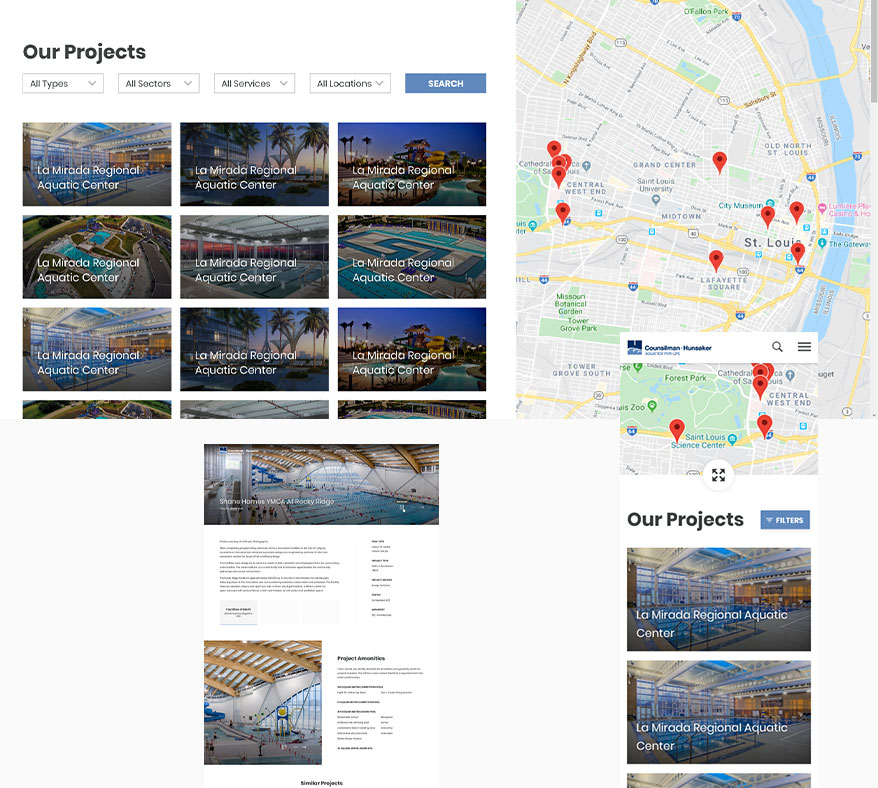
Workflow Systems, Integrations, and Connected Operations
Many web applications need to exchange data with CRMs, websites, ecommerce systems, analytics tools, scheduling platforms, payment tools, or internal databases.
Planning those integrations early helps the software support real operations instead of becoming another isolated system.
- Customer or member portals
- Internal dashboards
- Reporting and data tools
- Project or process tracking
- Approvals and review workflows
- API-connected business systems
When the need is the technical implementation of a public marketing website, it belongs under web development. When the need is operational software, the application should be scoped around the business process and users.
Web Application FAQs
St. Louis Web Applications FAQs
How is a web application different from a website?
A website usually presents information and supports customer acquisition or communication.
A web application is a browser-based tool that lets users perform structured tasks such as logging in, submitting information, managing data, reviewing dashboards, approving work, or using a workflow system.
What should be defined before building a custom application?
Useful planning defines users, permissions, workflows, data, business rules, integrations, reporting, security needs, maintenance expectations, and the first release scope.
Those decisions help keep the application focused on the work it needs to support.
Can a web application connect to an existing website or ecommerce system?
Often, yes.
Some applications connect to public websites, ecommerce systems, CRMs, email platforms, scheduling tools, analytics, payment systems, or internal databases. The integration plan should be part of the scope.
Web Applications
Build Tools That Help the Business Run Better
Tell us about the workflow, users, data sources, and operational problem the application needs to support.